See more. React faster.
Rizzles Optics makes PC games look better and run smoother: saturation up to 300%, vibrance, shadows, a clean crosshair, presets made for your games, a one-click optimizer and footstep audio boost. Free to use, with Pro for everything.

Pushes color across your entire screen so enemies pop out of treelines, rocks and snow instead of blending in.
up to 300%Makes colors pop without washing out skies and skin, on any graphics card.
any GPUMade for Rust, Dead by Daylight, Tarkov, DayZ and more, plus day, night, caves and fog — each with its own hotkey, and your own.
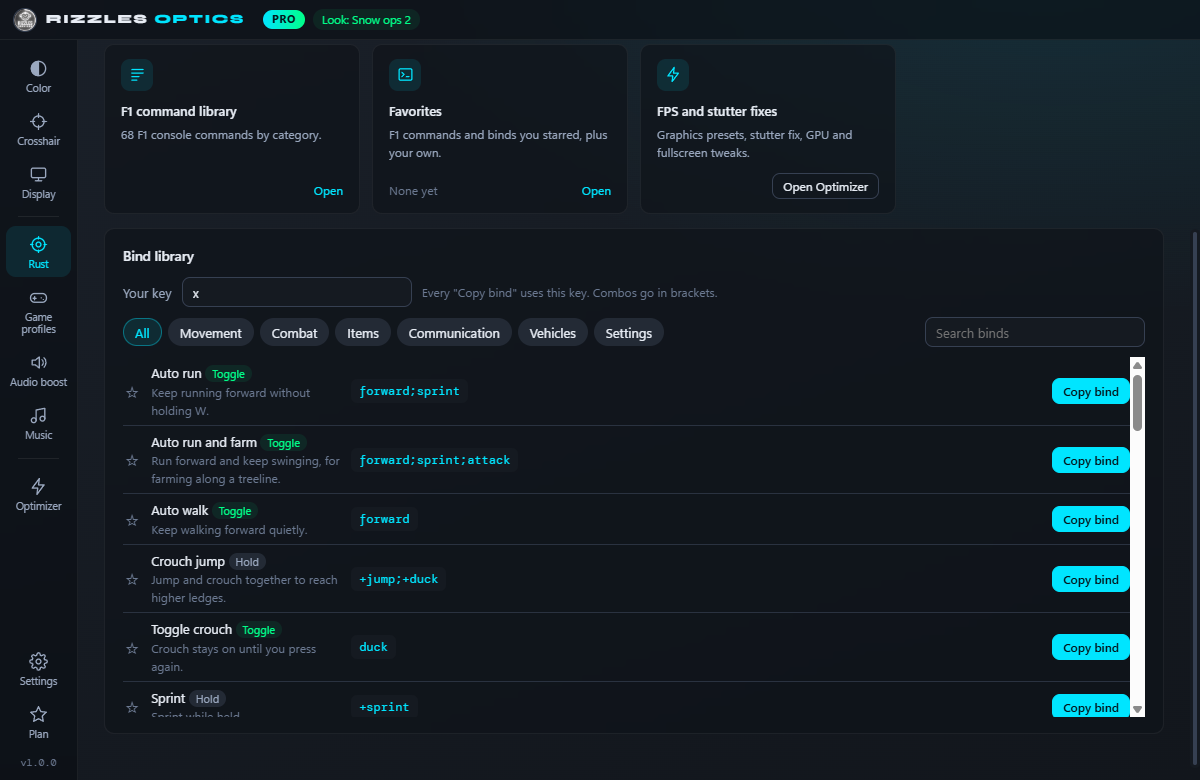
43 + customBlack holo, creator crosshairs you can load with one command, a 37-bind library, raid and wipe calculators and 68 F1 console commands, all in one tab.
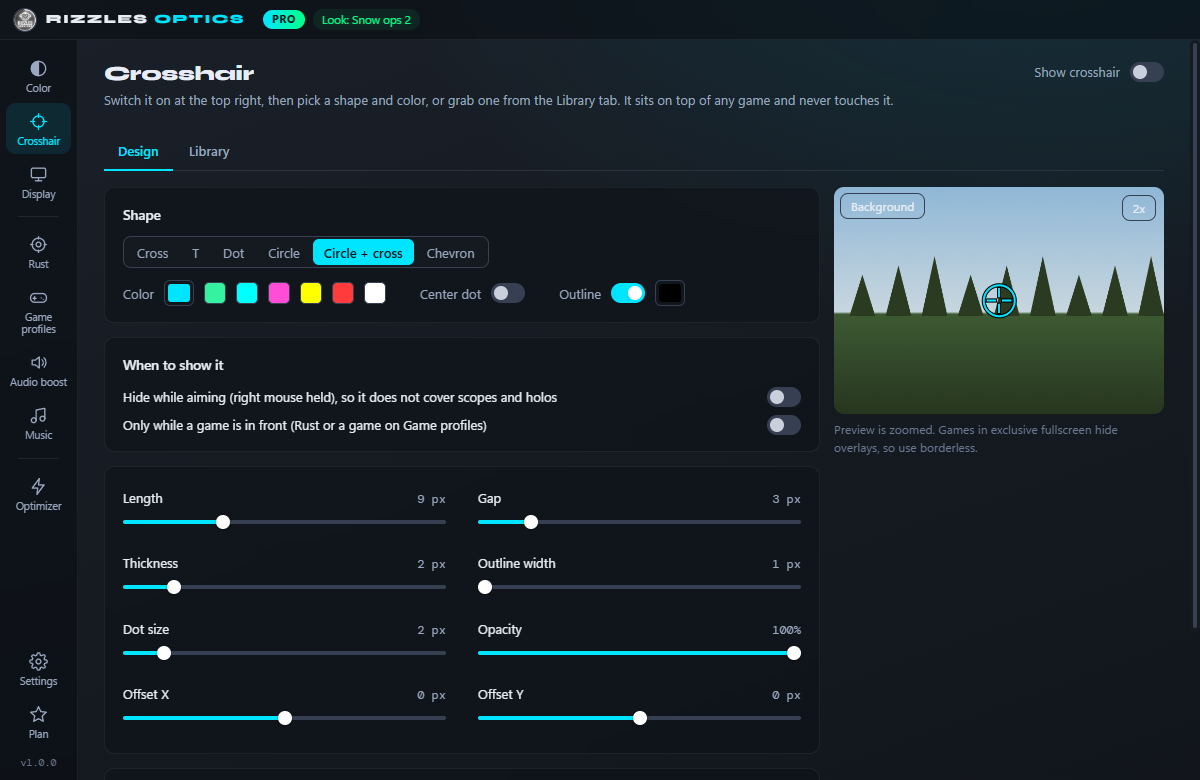
68 commandsSix styles with outline, gap and opacity, 39 ready-made designs and a shared library. Hides while you aim and never touches the game.
6 stylesHold a button to zoom into the middle of your screen. It uses the Magnifier built into Windows, so it never touches the game. Works on the desktop and in windowed games; some fullscreen games draw straight to the screen where Windows cannot zoom them, so switch those to windowed.
up to 4xHold a mouse button to instantly brighten dark rooms and night bases — let go and your colors snap right back.
instantEach game gets its own look and resolution, like stretched 4:3. They switch on when you tab into the game and back when you leave.
auto-switchDial in exactly how each color reads, with gamma, warmth, brightness and contrast set separately for every monitor.
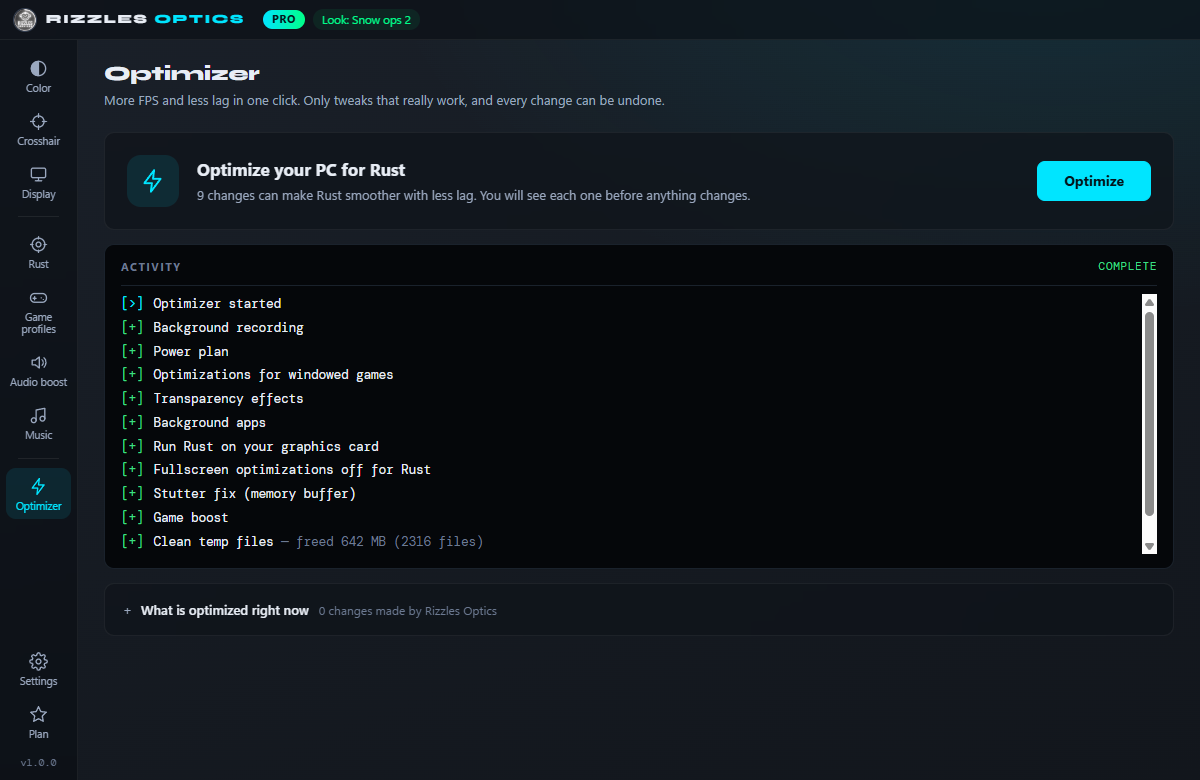
per-monitorMore FPS and less lag: an optimization score, safe Windows tweaks, a Rust stutter fix, graphics presets, game boost and a startup-programs review. A RAM-speed check and a network check tell you what is really holding you back. You see every change first and can undo settings any time.
reversibleScan a QR code and change your colors or crosshair straight from your phone, without ever leaving the game.
QR pairWindows and drivers like to reset your colors when a game launches. Rizzles Optics catches it and puts them straight back.
auto-restoreControl Spotify without leaving your game and play Rust playlists. OBS sync shows your viewers the same colors you see.
Spotify + OBSLift shadows to see into dark bushes without blowing out the sky, or draw your own curve per color.
pro gradeTurns up footsteps and reloads, turns down explosions and wind. Set up in one click inside the app.
hear firstUse color looks other players made, or share yours. Your whole setup follows you to any PC.
shared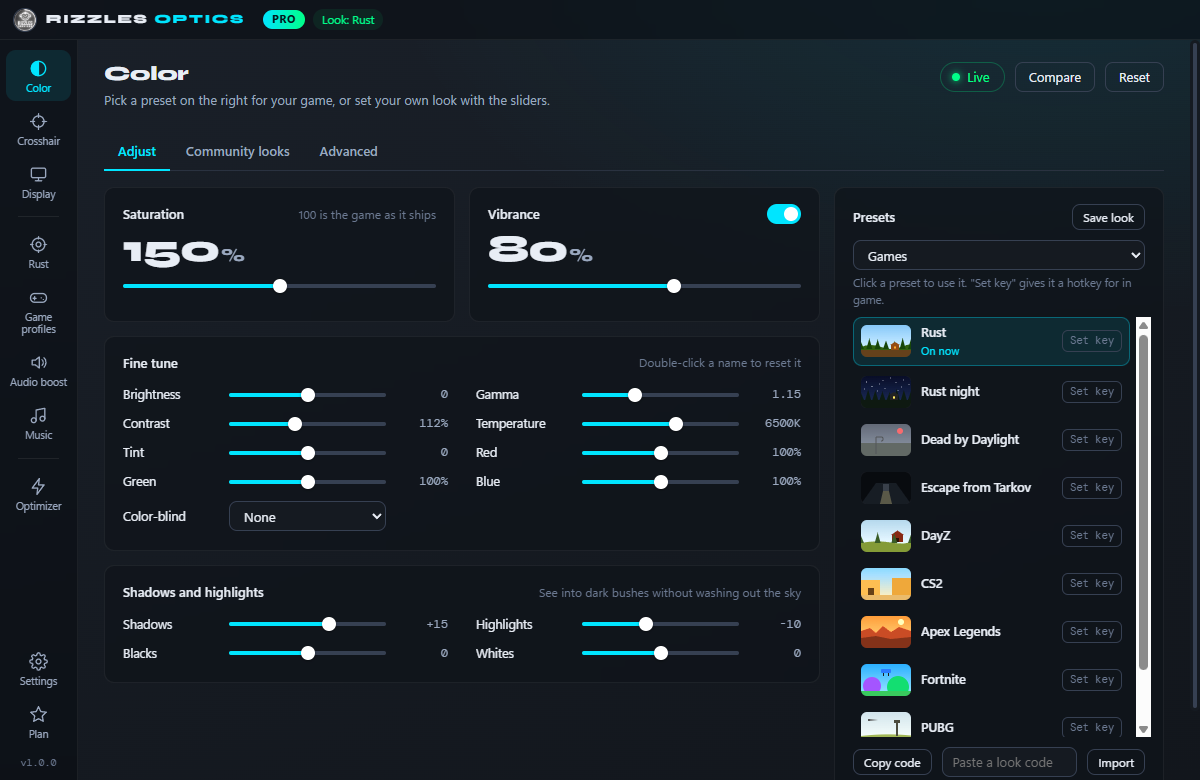
No injection, no memory reads, no game files touched. Rizzles Optics changes the color your monitor shows after the frame is drawn.
Turn it off or close it and your screen goes straight back. Ctrl+Alt+Shift+R resets everything instantly, on every plan.
Windows may show an "unknown publisher" screen for new apps. Compare your download with this fingerprint (SHA-256), or scan it on VirusTotal.
6E74C276733864E5B278D5FD725BF8C2B7B1AC9F60B6AC587B00C4D93B527286
- Saturation, brightness, contrast
- Resolution, refresh rate, HDR, stretched 4:3
- Cross and dot crosshair
- Zoom: hold a button to zoom in (up to 2x)
- Default and Vivid presets
- Color watchdog and themes
- Windows optimizer and cleanup
- Network check: ping, jitter, packet loss
- Rust F1 commands, binds and calculators
- Spotify controls and playlists
- Everything in Free
- Vibrance, gamma, warmth, fine tune and tone curve
- All 43 presets incl. game presets, your own and preset hotkeys
- Black holo, hold to peek, crosshair auto-hide
- Zoom up to 4x, press-to-toggle and smooth zoom
- Game profiles (look and resolution per game)
- Rust stutter fix, graphics presets and game boost
- Shadows, highlights, blacks and whites
- Footstep and audio boost
- Cloud save: your setup follows you to a new PC
- Phone control, OBS sync, per-monitor color, color screenshots
- Locked to your PC (HWID)
Renews every month at $2.99 until you cancel. Cancel any time on your account page; you keep Pro until the end of the month you paid for.
- Everything in Pro
- Pay once, no subscription
- All updates for as long as Rizzles Optics is offered
- Locked to your PC (HWID)
By buying Pro you agree to the terms of service and refund policy. Try Pro free in the app first.
Is it a cheat? Can I get banned?
It is not a cheat. It changes what your monitor shows after the game has drawn the frame. It never reads game memory, changes game files or loads code into a game. What an anti-cheat decides is up to the game's makers, so check the rules you play under. We cannot be held responsible for bans, kicks or anything else that happens while using our tools.
Can I use it in Valorant?
Valorant has not been tested, and its anti-cheat (Vanguard) is stricter than most. The crosshair turns itself off while Valorant is open. Color settings use Windows' own display controls and never touch the game, but using Rizzles Optics with Valorant is at your own risk.
Does it work with my graphics card?
Yes. It works on any graphics card, on Windows 10 and 11.
Does it work in fullscreen games?
Everything works in borderless and windowed mode. For exclusive fullscreen, open the Color page, go to Advanced and set Color mode to Exclusive fullscreen. Brightness, contrast, gamma, warmth, shadows and vibrance still apply.
Can I try Pro first?
Yes. Open the app, go to Plan and start a free 3-day Pro trial. One trial per PC, no card needed.
How many PCs can I use it on?
Each key is locked to one PC (HWID) and cannot be shared. If you get a new PC or change hardware, open a ticket in our Discord and we will reset your HWID.
Can I get a refund?
If Pro does not work on your PC and support cannot fix it, you get a full refund within 7 days. See the refund policy.
Can I cancel?
Yes. Monthly can be cancelled any time from your account page and runs until the end of the month you paid for. Lifetime has nothing to cancel.
Already bought Pro? View your keys
Valorant: not tested. The crosshair turns off in Valorant, and using Rizzles Optics with it is at your own risk.
Rizzles Optics never touches game files or memory, but every game, server and anti-cheat sets its own rules. You use it at your own risk: we cannot be held responsible for bans, kicks, suspensions or anything else that happens while using our tools. Check your game's and server's rules first.
Terms of service · Privacy policy · Refund policy
Rizzles Optics is made by Rizzles Services and is not affiliated with, endorsed by or sponsored by Facepunch Studios (Rust), Behaviour Interactive (Dead by Daylight), Spotify, OBS Studio, Microsoft, NVIDIA, AMD, Intel or any game maker. Game, app and company names are trademarks of their owners and are only used to say what Rizzles Optics works with.